


Smart QR Code Management
Turn every scan into Actionable Data. Generate, customize, track, and automate QR codes directly inside your workflow.

Powerful Features
Create branded QR codes, track every scan, capture location and form data, and automatically update your monday.com boards—without leaving your workflow.
Custom Branded QR Codes
Create QR codes that match your brand with custom logos, colors, and naming conventions—making them easy to manage at scale.

Searchable Scan History
Quickly search and filter scan activity by: QR code name, Date, Location, User.

Scan-Based Subitem Tracking
Each scan automatically creates a subitem entry, providing a clean audit trail tied directly to the parent item.

Geo Location Capture
Capture GPS coordinates on scan and convert them into a street address that populates your location column—perfect for site verification and compliance tracking.
Photo & Attachment Uploads
Users can submit photos directly from their mobile device during the scan, creating visual proof tied to the activity.
Custom Forms Per QR Code
Design unique forms for each QR code: Text fields, Numbers, Dropdowns, Photos. Form responses populate your monday.com columns automatically.
Reporting: CSV Export
Download a complete transaction history for reporting, audits, or offline analysis.
How it works
One Scan. Real-Time Updates. Total Visibility.
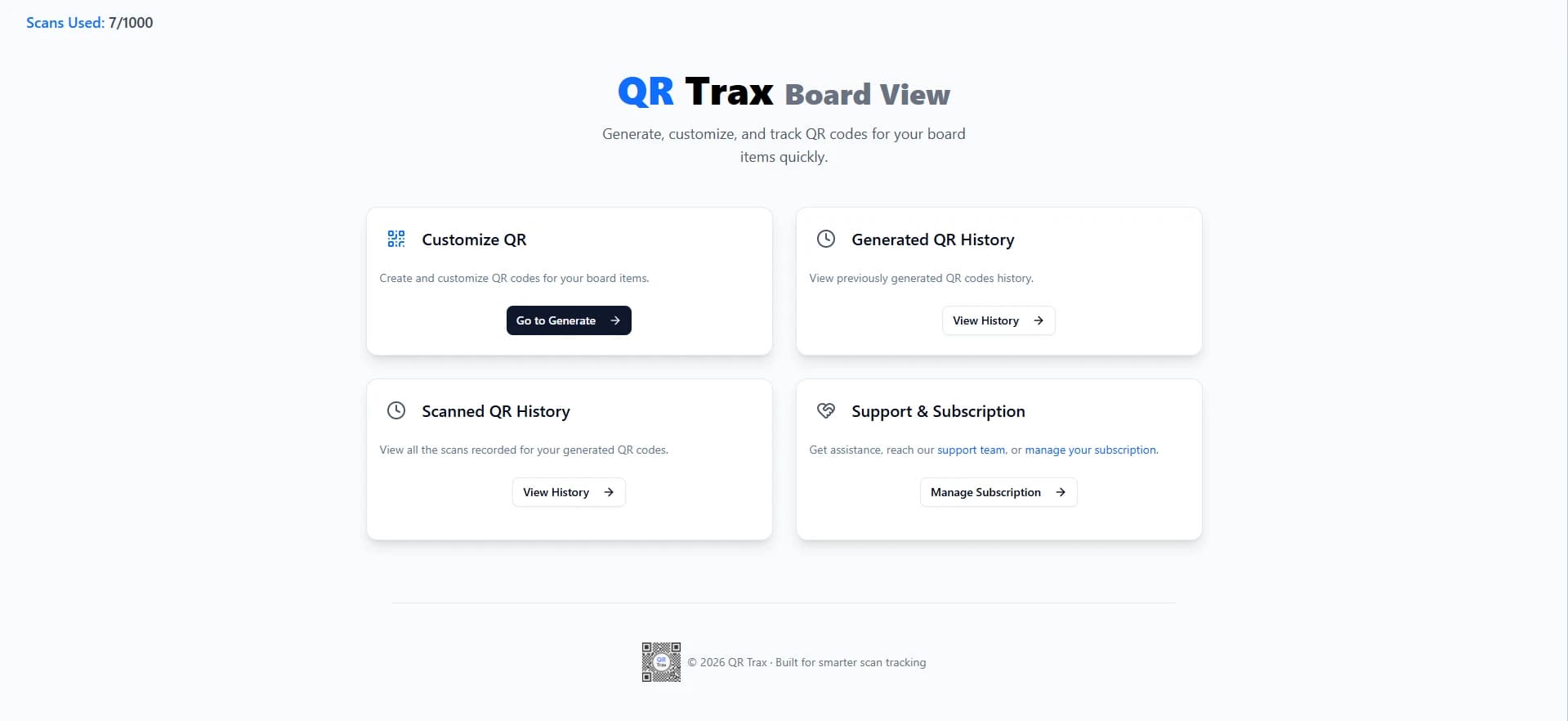
QRTrax transforms QR codes into powerful workflow triggers inside monday.com. Every scan can log activity, collect form inputs, capture location data, upload photos, and instantly update your board and subitems—giving teams a faster, more accurate way to track real-world activity.
Create a QR Code Inside Your monday.com Board
Generate a unique QR code directly from your monday.com board. Customize it with your logo, colors, and naming conventions for easy identification.

Configure Scan Behavior
Choose what happens when the QR code is scanned: Open a custom form, Capture geolocation, Allow photo uploads, Map responses to specific board columns.
Scan and Capture Data
Users scan from any mobile device—no app required. Each scan creates a subitem entry, logging time, location, form responses, and attachments.

Track, Search, and Export
Search scan history by QR code, user, or location. Export all transactions instantly via CSV.

Perfect For Any Use Case
Transform how your team manages workflows
- Field service confirmations
- Cleaning and janitorial logs
- Construction punch lists
- Maintenance work orders
- Hospitality room inspections
- Retail merchandising checks
- Warehouse cycle counts
- Fleet vehicle inspections
- Remote workforce verification

Inventory Management
Scan → enter quantity → board updates instantly. Full historical record of inventory counts. Faster audits with fewer errors.
- Real-time inventory dashboard
- Auto-calculated par values and reorder thresholds
- Automated vendor or management notifications
- Exportable restock reports and historical trends
- Fewer stockouts and overstocks
- Faster inventory cycles
- Improved vendor coordination
- Data-driven purchasing decisions
Equipment Check-In / Check-Out
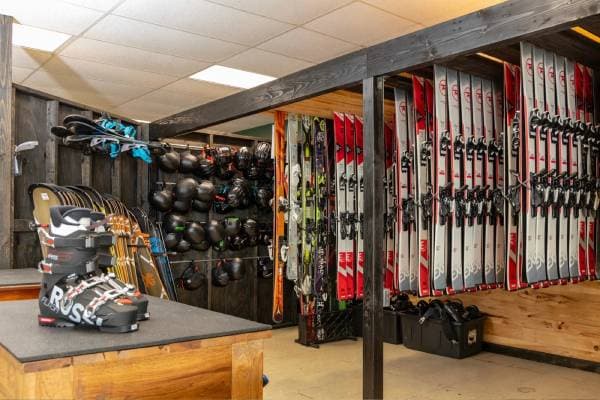
Track who has what and where. Capture condition photos. Timestamped accountability.
- Real-time equipment status and location tracking
- User accountability and usage history
- Automated alerts for overdue or damaged equipment
- Asset utilization dashboards
- Reduced asset loss and misuse
- Clear accountability across teams
- Improved asset planning and lifecycle management
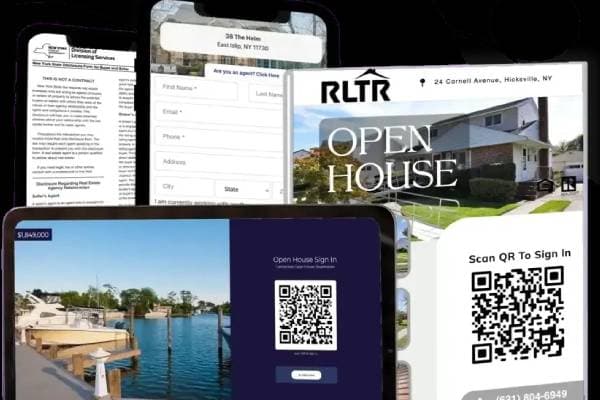
Site Visit Verification
Scan confirms presence. GPS verifies location. Photos and notes logged instantly. Street address auto-populated.
- Verified visit records with GPS and timestamps
- Photo documentation and notes
- Real-time dashboards for managers
- Automated compliance and activity reports
- Increased transparency and accountability
- Reduced disputes over service completion
- Improved operational oversight

Property & Facilities Inspections
Inspectors scan and submit findings on-site. Photos and notes attach automatically. Immediate visibility for managers.
- Standardized inspection forms and workflows
- Real-time inspection dashboards
- Automated issue tracking and follow-ups
- Historical inspection records
- Faster inspections and reporting
- Improved compliance and documentation
- Better visibility into asset conditions

Event & Visitor Logging
Capture visitor details instantly. Timestamped entries. Easy reporting and exports.
- Real-time visitor logs and dashboards
- Custom digital sign-in forms
- Exportable attendance reports
- Automated notifications to staff
- Improved security and recordkeeping
- Faster visitor processing
- Better operational visibility

Health, Safety, and Compliance Logs
Time-stamped, location-verified records. Clean audit trails. Reduced compliance risk.
- Verified compliance logs with timestamps and location data
- Automated alerts for missed checks or violations
- Exportable audit reports
- Compliance dashboards
- Reduced compliance risk
- Improved audit readiness
- Stronger safety culture and accountability
Ready to Transform Your QR Workflow?
Get in touch with us to learn how QRTrax can streamline your monday.com workflows
Pricing that scale with business
What's Included in Every Plan
All plans include full access to QRTrax features:
- Unlimited QR code creation
- Branded QR codes (logos and colors)
- Custom forms per QR code
- Scan-based subitem tracking
- Geo location capture with address resolution
- Photo uploads from mobile devices
- Auto-population of monday.com board columns
- Searchable scan history
- CSV export of all transactions
- Training videos, documentation, and FAQs
$29/mo
Up to 250 scans
Best for testing, small teams, and internal workflows
$59/mo
Up to 750 scans
Best for light field usage and small operational teams
$129/mo
Up to 2,500 scans
Best for inventory tracking, inspections, and site visits
$249/mo
Up to 7,500 scans
Best for construction, facilities, and asset-heavy operations
$499/mo
Up to 20,000 scans
Best for multi-location and high-volume teams
$899/mo
40,000+ scans per month
For organizations with large-scale or mission-critical usage
What people are saying
“Users consistently praise our product for its exceptional quality, ease of use, and outstanding customer support.”
“We use QRTrax for site visits and inspections across multiple properties. The location capture and photo uploads give us immediate proof of work, and the data flows directly into our boards without follow-up.”
“Inventory counts used to take days. With QRTrax, we scan shelf QR codes and update quantities in real time. The historical tracking alone has saved us countless hours.”
“Being able to verify site visits with time, location, and photo proof has been a game changer. QRTrax gives us visibility we never had before—without adding complexity.”
“Our team went paperless in a week. QRTrax made it seamless—every scan is logged automatically and the dashboard gives management exactly what they need.”
“QRTrax connects the physical world to our digital workflows. We get accurate, real-time operational data without relying on manual inputs or delayed reporting.”
“We replaced manual maintenance logs with QR codes across our facilities. Technicians scan, submit notes and photos, and everything is documented instantly. Audits are no longer painful.”
“From a compliance standpoint, the audit trail QRTrax provides is invaluable. Every scan is timestamped, location-verified, and documented. It's exactly what regulators expect to see.”
“Implementation was incredibly smooth. Our drivers were scanning and submitting reports on day one. The visibility across our entire fleet operation has been transformative.”
Frequently asked questions
Ask everything you need to know about our products and services.
Ready to Transform Your QR Workflow?
Get in touch with us to learn how QRTrax can streamline your monday.com workflows